

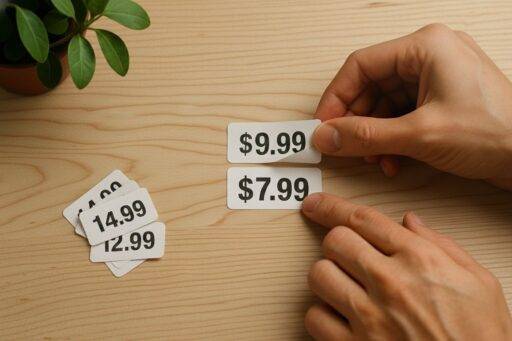


A quiet suspicion haunts most modern shoppers. It is the nagging feeling that the amount on your screen is not the real price or the one everyone else sees. The number next to the “Buy Now” button is not a fixed value but a fluid one, molded specifically for you right now based on how much the machine thinks you will tolerate.
In 2025, that suspicion is accurate, and no longer paranoia.
E-commerce platforms study us the way meteorologists study weather systems. They track our click patterns, device type, location, hesitation, and battery life. They use Dynamic Pricing—algorithms that silently bet on your urgency.
Two people can view the same flight, hotel room, or blender seconds apart and see two different prices.
This guide is not about “coupon clipping.” It is about Investigative Living, Pillar IV: reclaiming visibility in a marketplace designed to keep you in the dark. It is about using forensic search techniques to see the price beneath the price.

Phase I: The Historical Audit (Seeing the Past)
The first rule of algorithmic defense: Never trust the current price.
The price shown today is often a performance. It is an “anchor” designed to make next week’s “sale” look generous. To know the real price and value of a product, I must see its history.
The Tools:
- CamelCamelCamel (Amazon specific)
- Keepa (Browser extension for detailed graphs)
The Workflow:
I paste the product URL into these tools. I am not looking for the current price; I am looking for the Cyclic Low.
- The Graph: If a coffee maker is listed at $149 today, but the history graph shows it drops to $99 every three months like clockwork, then the “real” price is $99.
- The “Fake” Deal: If a product is marked “30% Off!” but the graph shows the price was raised by 30% yesterday just to be discounted today, I know the urgency is manufactured.
For Non-Amazon Sites:
I use Visualping. It is a change-detection tool. I set it to monitor a specific product page on a niche retailer’s site. It sends me a screenshot alert only when the pixel area containing the price changes. That bypasses the need for me to check and signal interest repeatedly.



Phase II: The Shrinkflation Check (The Wayback Machine)
Shrinkflation is a soft theft. The price stays the same, but the product quietly loses mass. A box of cereal drops from 18oz to 15.5oz; a roll of trash bags loses four bags.
The algorithm relies on your memory being fuzzy. I rely on the archive, not memory.
The Tool: The Wayback Machine (Internet Archive).
The Workflow:
- I copy the URL of the product page (e.g., a specific brand of laundry detergent on Walmart.com).
- I paste it into the Wayback Machine and select a snapshot from two years ago.
- The Comparison: I look specifically at the “Net Weight” or “Unit Count” specifications.
If the 2023 bottle was 100oz for $15, and the 2025 bottle is 88oz for $15, I have mathematically proven the inflation. That informs my decision to switch brands or buy in bulk.
Phase III: The Identity Strip (Visual Forensics)
Many “luxury” furniture, gadget, and decor brands are simply Dropshippers. They take a generic item manufactured in a massive factory, slap a sleek logo and a serif font on it, and quadruple the price.
To defeat this, I ignore the brand name and I search for the object.
The Tool: Google Lens or TinEye.
The Workflow:
- I take a screenshot of the “luxury” lamp or ergonomic chair.
- I run a Reverse Image Search.
- The Reveal: The search often returns the exact same product image on Alibaba, AliExpress, or a wholesale outlet for a fraction of the “designer” price.
Insight: I am not looking for a “knockoff.” I am looking for the source. If the “source” product is $40 and the “branded” one is $200, I am paying a $160 tax for a logo.
Phase IV: Breaking the “Profile” (Incognito & VPN)
Algorithms profile you. If you are browsing on a MacBook Pro from a high-income ZIP code, you may see higher prices on travel sites or SaaS products than someone browsing on an Android from a rural IP address.
To see the “neutral” price, I must become a ghost.
The Workflow:
- The “Clean” Slate: I open an Incognito/Private window, which removes cookies that track my previous interest (preventing the “you looked at this twice, so the price went up” trigger).
- The Location Shift: I use a VPN (Virtual Private Network) to change my digital location.
- Travel Hack: When booking flights, I switch my VPN server to a lower-income country or the destination country. The currency and price often shift in my favor.
- The Device Swap: Occasionally, I check the price on my phone (disconnected from WiFi) versus the one on my laptop. Mobile-exclusive discounts—or premiums—are real.
Phase V: The “Real” Market Value (The eBay Protocol)
Finally, I determine what an item is actually worth—not what a retailer wants for it.
Retail price is a wish. Resale price is reality.
The Workflow:
I go to eBay, search for the item, and toggle the filter “Sold Items.”
- If a brand new blender sells for $400 at retail, but the “Sold” listings show dozens of “New in Box” units selling for $220, the market has rejected the retail price.
- That is especially powerful for tech and collectibles. It reveals the Depreciation Curve. If an item loses 50% of its value the moment it ships, consider buying it second-hand or wait for a deeply discounted clearance.
Conclusion: Replacing Noise with Insight
Algorithms love that most people shop emotionally. They thrive on urgency (“Only two left!”) and identity (“You deserve this premium brand”).
But when you learn to step outside the system—even for two minutes—the digital marketplace becomes transparent.
You stop buying under pressure, stop reacting to “limited time deals” that repeat every Tuesday, and stop paying the “lifestyle tax” for rebranded generic goods. Instead, you begin to see the price not as a command, but as a query. And you have the tools to answer it on your own terms.
The Real Price Investigator’s Resource List
1. Historical Price Tracking
- CamelCamelCamel: The essential tracker for Amazon price history. Set alerts for your “Buy Price.”
- Keepa: A browser extension that embeds price history graphs directly onto product pages.
- Visualping: Monitors any website for visual changes (great for tracking prices on niche sites that block standard trackers).
2. Product Verification
- Google Lens: The best tool for reverse-image searching products to find their generic or wholesale origins.
- The Wayback Machine (Internet Archive): Essential for fact-checking past product sizes (shrinkflation) and claims.
3. Market Valuation
- eBay “Sold” Filter: The only honest metric for what an item is currently worth on the open market.
- RateBud: a browser extension that analyzes Amazon product reviews using AI to detect fake reviews and assess overall product quality. It provides letter grades (A-F) on Amazon product pages to help shoppers make informed purchasing decisions and find the real price of goods.